TikTok Shop's documentation assumes you already speak the language. You don't need to. Here are the 40 terms that actually matter to a seller's money, defined the way one seller would explain them to another — grouped by selling, fulfillment, finance, and refunds/claims. Terms with their own deep-dive get a link.
Selling & the marketplace
1. Seller Center — TikTok Shop's seller dashboard: orders, inventory, finances, cases, and support tickets all live here. Every dispute and claim in this glossary gets filed through it.
2. Seller University — TikTok's official policy and training library. The source of truth for the rules; when a policy detail matters, verify it here because policies change.
3. Shop Tab — The dedicated shopping section inside the TikTok app where your product listings appear outside of videos and lives.
4. Affiliate (Creator Affiliate) — A creator who promotes your product for a commission you set. The commission comes out of your payout on every affiliate-driven sale.
5. Open Collaboration — An affiliate setting where any creator can promote your products at a standard commission, rather than ones you individually approve.
6. Targeted Collaboration — The opposite: you invite specific creators at negotiated commission rates.
7. LIVE Shopping — Selling through livestreams with pinned, tappable products. High velocity, and high refund volume to reconcile afterward.
8. Product Listing Score — TikTok's quality grade on your listings; weak scores throttle visibility.
9. Shop Performance Score — TikTok's composite health metric for your shop, fed by fulfillment speed, cancellations, and customer experience. Falling below thresholds risks restrictions.
10. Violation Points — Penalty points assigned for policy breaches. Accumulate enough and you face suspensions or holds on your money.
Fulfillment & FBT
11. FBT (Fulfilled by TikTok) — TikTok's first-party fulfillment program: your inventory sits in TikTok's warehouse network and TikTok picks, packs, and ships. The TikTok equivalent of Amazon FBA — full guide.
12. Seller-Fulfilled — You ship orders yourself from your own location with your own process. You control the box; you also own the fulfillment metrics.
13. 3PL (Third-Party Logistics) — An outside warehouse that stores and ships for you — the middle path between self-fulfillment and FBT.
14. Inbound Shipment — Inventory you send into FBT warehouses. The receiving count is where discrepancies start: ship 500, get credited 480.
15. Receiving Discrepancy — The gap between units you shipped to FBT and units FBT checked in. Claimable — see FBT lost and damaged inventory.
16. Inventory Discrepancy — Your FBT inventory count dropping without matching sales or removals. Lost units in TikTok's custody are TikTok's debt to you.
17. TikTok Shipping — TikTok's own shipping label program for seller-fulfilled orders. Orders on these labels carry logistics coverage (term 36).
18. Tracking Number — The carrier's record of a package's journey. In disputes, tracking history is primary evidence — for outbound orders and returns alike.
19. Restock — A returned unit passing inspection and re-entering your sellable FBT inventory. Every FBT return should end in a restock or a reimbursement; ones that do neither are claims.
20. Removal Order — Pulling your inventory back out of FBT warehouses, typically when exiting the program or rebalancing stock.
Finance & payouts
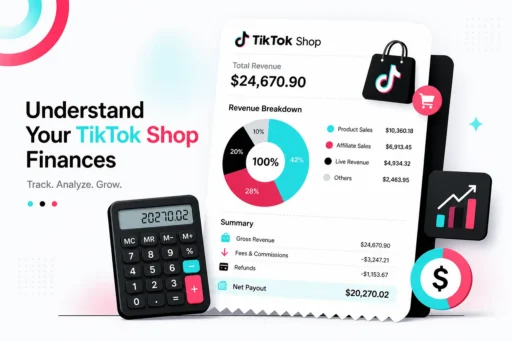
21. Settlement — TikTok's calculation of what you're owed for a period: sales minus fees, refunds, and adjustments.
22. Settled Statement — The line-by-line document behind each settlement. The single most important financial document TikTok gives you — reimbursements, refunds, and adjustments all surface here.
23. Payout — The actual transfer of settled funds to your bank. When it's smaller than expected, the answer is in the statement — payout deductions explained.
24. Referral Fee — TikTok's commission on each sale, taken off the top before you're paid. The full fee stack: TikTok Shop fees explained.
25. Transaction Fee — Payment-processing cost charged per order alongside the referral fee.
26. Adjustment — A catch-all line item where TikTok adds or removes money outside normal order flow: corrections, penalties, reimbursements. Unexplained adjustments deserve investigation, not acceptance.
27. Dynamic Reserve — Money TikTok holds back from payouts as a buffer against future refunds, operating on roughly a 30-day rolling basis. Why your money is "on hold": zero payouts and reserves explained.
28. Negative Settlement — A settlement period where deductions exceed sales, producing a $0 payout (or a balance you owe). Common after refund-heavy periods.
29. Chargeback — A buyer disputing the charge with their bank instead of through TikTok. The clawback typically lands on your statement.
30. Reimbursement — Money TikTok pays you to compensate for its own operational failures — lost inventory, fulfillment errors. Not a refund (term 31); refunds go to buyers. Definition page: what is an FBT reimbursement.
Refunds, returns & claims
31. Refund — Money returned to the buyer on an order. The seller-side question is always: which bucket — policy-compliant, disputable, or claimable?
32. Advanced Refund — A refund issued the moment the buyer drops off the return package, before it reaches you. The biggest silent leak in TikTok Shop — definition page.
33. Refund Without Return — TikTok refunds the buyer and lets them keep the item, applied to items at or below roughly $10 and non-returnable categories. Policy, not fraud — but it needs managing: full guide.
34. Return Window — The period after delivery during which a buyer can initiate a return.
35. INR (Item Not Received) — A buyer claim that the order never arrived. Whose loss it is depends on whose label shipped it — seller options for INR claims.
36. Logistics Coverage — TikTok Shipping's protection for packages lost or damaged in transit on TikTok labels: up to the order's total retail value, claims generally within 90 days of delivery.
37. Dispute — The seller's formal challenge to a refund or return outcome, filed on the case in Seller Center with evidence. The process: how to dispute a refund.
38. Claim Window — The deadline to file a claim before it expires permanently — 60 days from order creation for FBT claims, 90 days from delivery for logistics coverage. The cheat sheet: the 60-day rule.
39. Return Fraud — Buyer-side abuse of the returns system: returns that never ship, wrong-item returns, empty boxes. The 2026 patterns: return fraud guide.
40. Reconciliation — Systematically matching what happened against what TikTok's records say: refunds vs. returns received, inbound vs. checked in, approved claims vs. posted reimbursements. The discipline this entire glossary exists to support — and the thing almost no seller does.
The term that isn't in TikTok's docs: "leak"
Every shop we audit leaks — refunds that should have been disputes, discrepancies that should have been claims, all of it expiring on 60- and 90-day fuses. One brand recovered $30,800 in a single month once someone reconciled the account. The audit that found it is free, takes 24 hours, and we only get paid a percentage of what we recover.
Get your free TikTok Shop audit →
FAQ
What does FBT stand for on TikTok Shop? Fulfilled by TikTok — TikTok's first-party fulfillment program where TikTok warehouses store your inventory and handle picking, packing, and shipping, similar to Amazon FBA.
What is the difference between a refund and a reimbursement on TikTok Shop? A refund is money returned to the buyer on an order. A reimbursement is money TikTok pays the seller to compensate for TikTok's own failures, like lost FBT inventory or fulfillment errors.
What is an advanced refund on TikTok Shop? A refund issued to the buyer when they drop off the return package, before it reaches the seller. If the return never arrives, sellers should dispute proactively — starting around day 10.
What is a settled statement on TikTok Shop? The line-by-line financial document behind each payout, showing sales, fees, refunds, adjustments, and reimbursements. It's where sellers verify that approved claims actually got paid.